SEAMLESS DIGITAL MODES WORKSTATION

FT8LAB: Your Command Center for Digital Mode Ops.

Built for operators who want more than a decoder window, FT8LAB unifies realtime operating, smart automation, live mapping, native rig monitoring, offline logging, and flexible multi-monitor window layouts in one clean, modern workstation. It feels less like another ham app and more like the command center for the future of digital mode operating.

OVERVIEW

A serious digital mode workstation for serious operators.

FT8LAB.com by SiliconDroid Inc. ©2026 delivers a deeply integrated operating environment designed to make digital mode work feel fast, polished, and powerful. From decode awareness and band activity flow to QSO execution, rig monitoring, log handling, and web lookups, every major station function is gathered into one cohesive application with a tech-forward UI that looks as sharp as it operates.

FT8LAB is built to be the centerpiece of the modern shack. The interface is fast, clean, and visual, with a cool instrumentation style that makes operating feel live and connected. Instead of burying capability under clutter, it gives every page a clear role and lets the operator shape the workspace to match the station, the screens, and the operating style.

The result is a workstation that feels purpose-built for digital mode enthusiasts: one app, one flow, and a genuinely advanced experience for operators who want to monitor more, react faster, and automate smarter.

It is equally at home in a compact single-monitor setup or a fully spread out three-monitor control wall. Theme it to match your rig, run in dark or light presentation styles, keep the log offline until the right moment, and move from band monitoring to contact execution without bouncing between disconnected tools.

This is not just software for decoding tones. It is a digital operating workstation with the kind of layout freedom, visual feedback, and integrated tooling that makes it feel like the next step forward for FT8 and beyond.

THEMES

Choose your accent. Match your rig. Run dark or light.

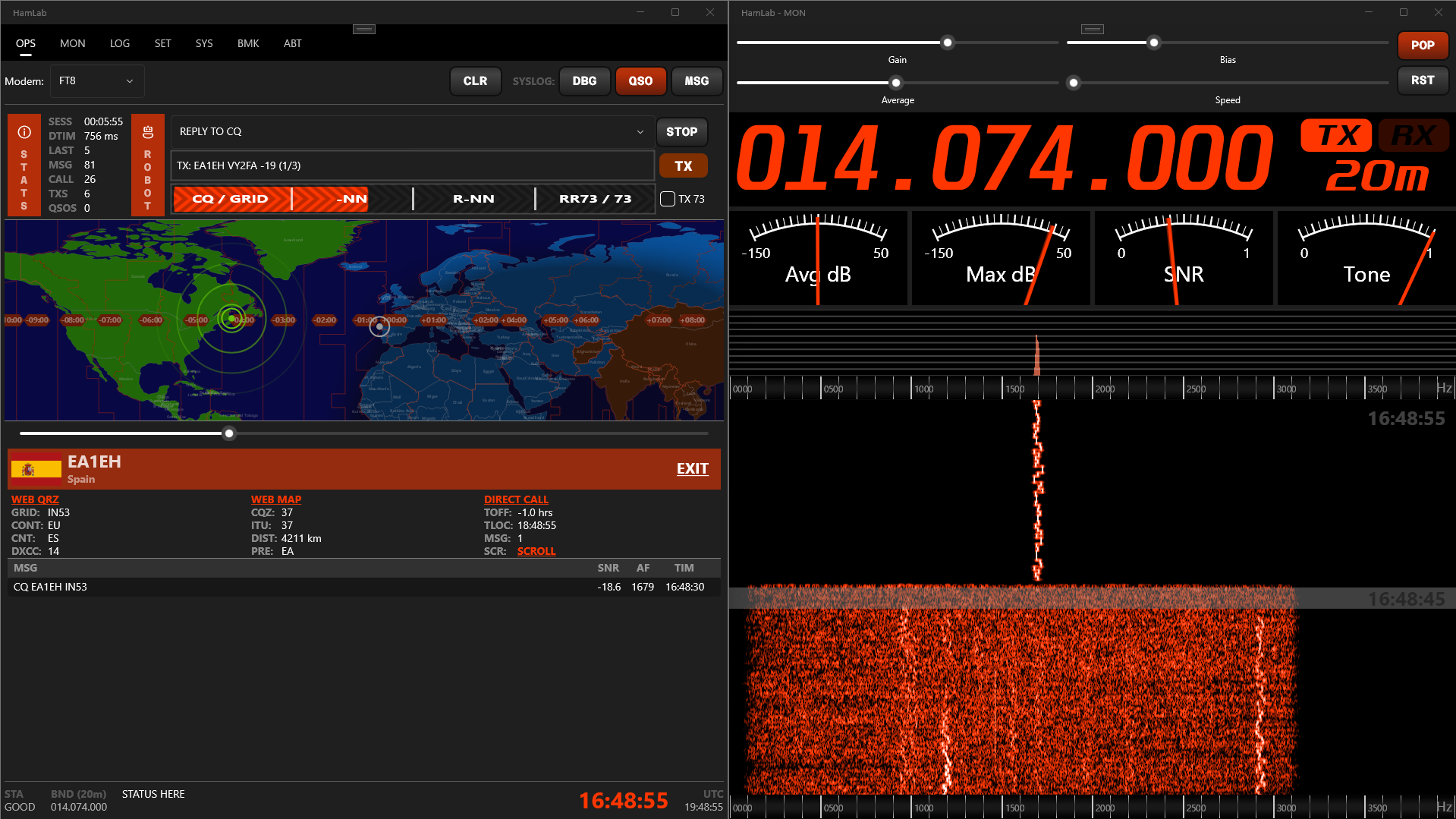
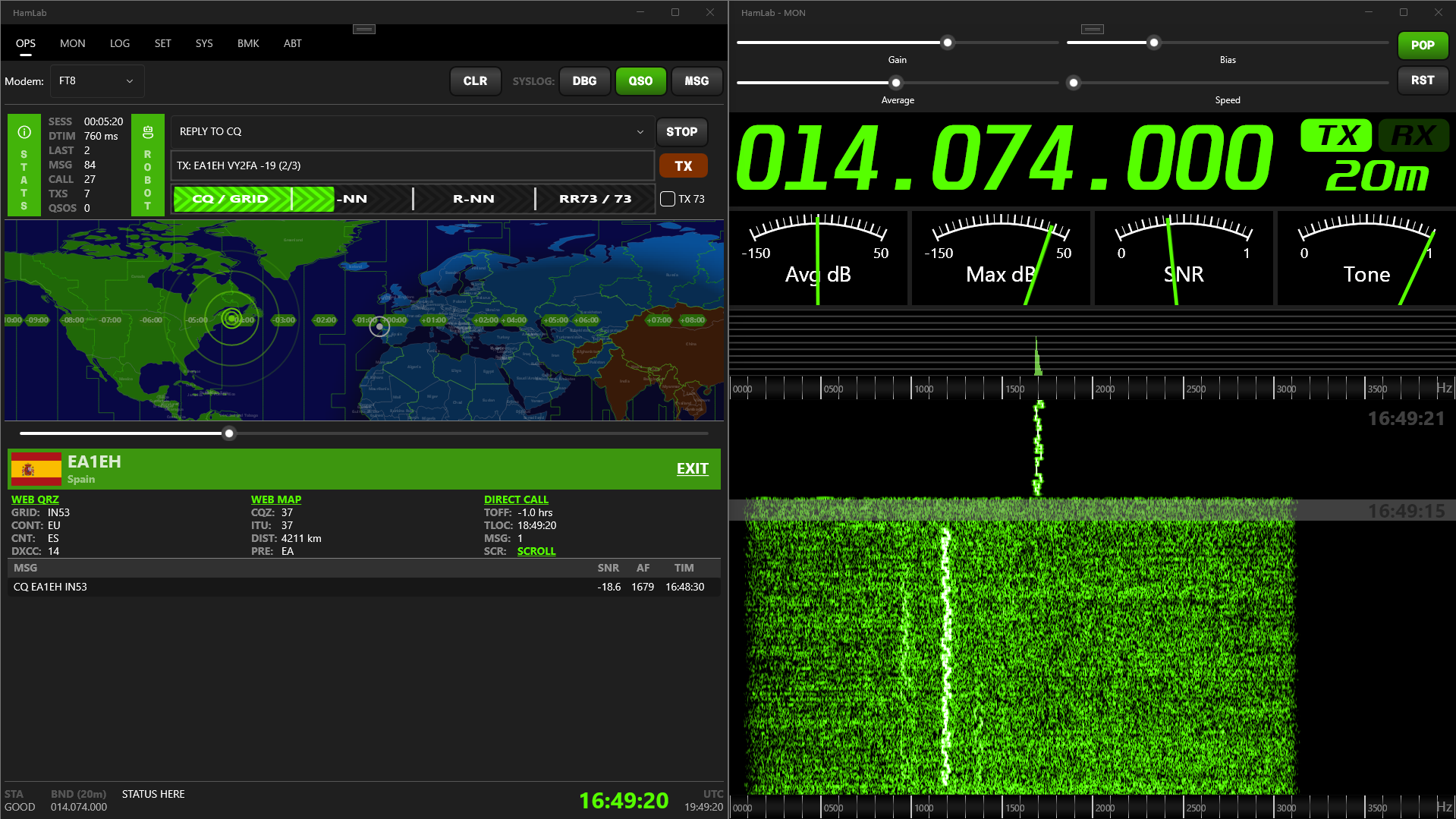
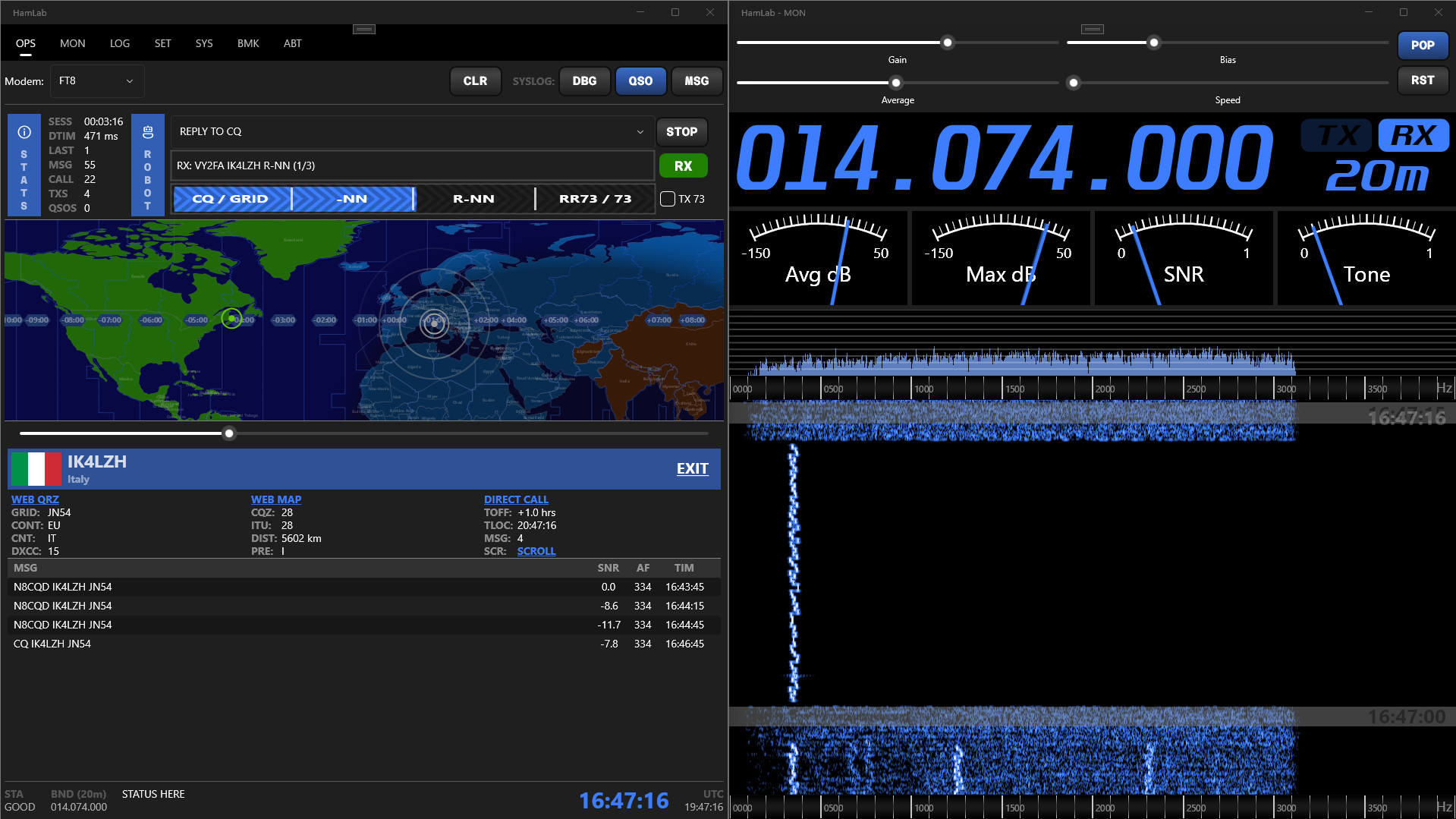
FT8LAB gives operators a polished modern interface with customizable accent colors and support for dark or light mode styling. The screenshots below show three accent personalities on the same single-monitor layout. Hover each thumbnail to expand it and get a full-size look.

MULTI-MONITOR

Pop out every page. Build your own operating wall.

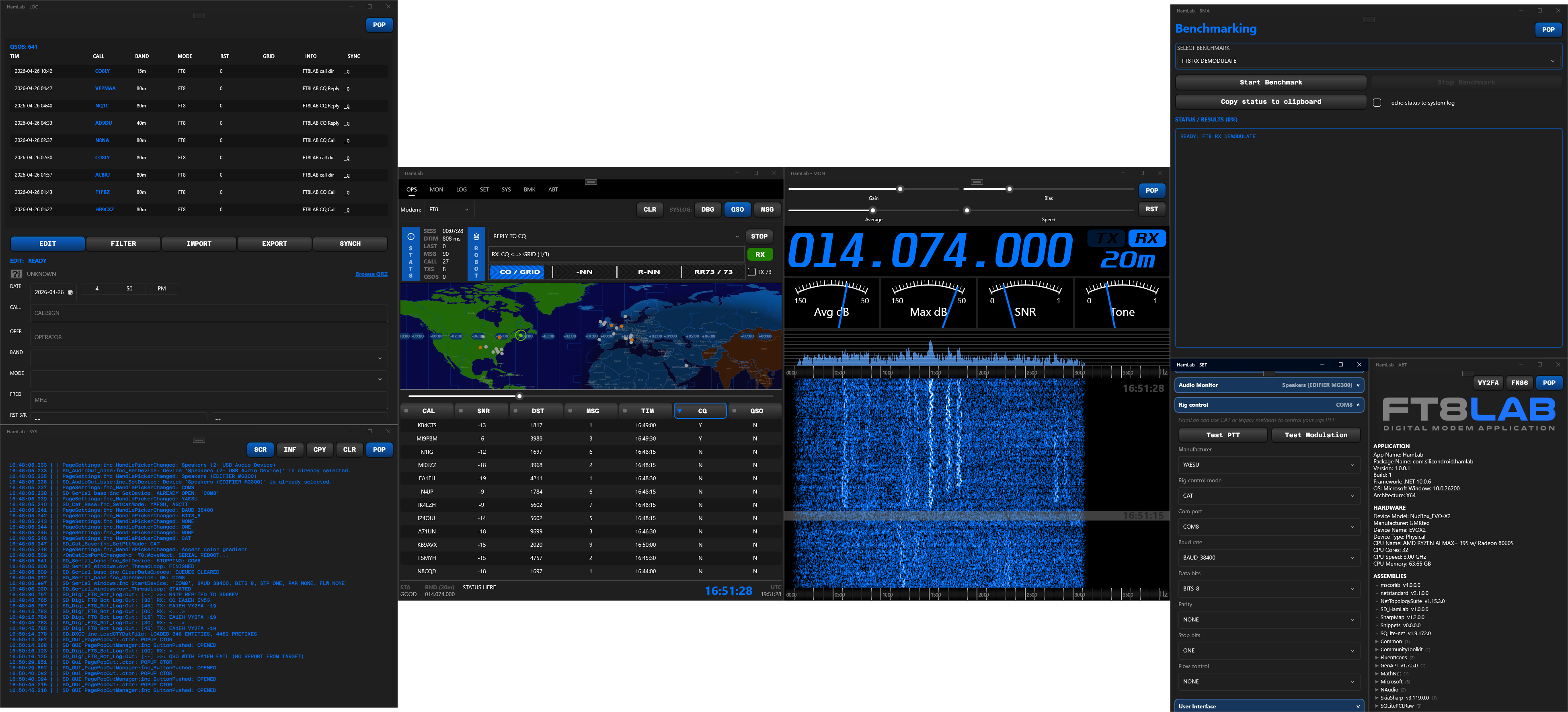
FT8LAB turns the traditional tabbed app into a flexible workstation. Pages can be popped out and arranged across multiple monitors so your OPS, MON, LOG, and utility views live exactly where they are most useful. Better still, the application remembers your layout and restores it automatically on the next launch so your station always comes back ready to work.

This is one of FT8LAB's standout features. Instead of forcing everything into one crowded window, it lets you spread the station out over multiple screens like a real operating console. Keep the realtime operating table in your main field of view, place monitoring tools on a secondary screen, move logs and browser lookups aside, and create a layout that feels natural for your station workflow.

Hover the layout thumbnail to expand it. The PNG transparency is preserved so the floating windows read cleanly against the dark background and clearly show how freely the app can be arranged over a multi-monitor desktop.

PAGE POP-OUTS FREE WINDOW ARRANGEMENT 3-MONITOR READY LAYOUT MEMORY AUTO RESTORE NEXT LAUNCH
FT8LAB three monitor layout showing pop-out windows arranged across displays
PAGES

Every major station function, organized into focused pages.

FT8LAB keeps the workflow modular and fast. Each page is dedicated to a core station role, and each one can live as a tab or a pop-out window. Together they create a station UI that scales from simple setups to advanced multi-display desks.

OPS

MAIN OPERATING PAGE

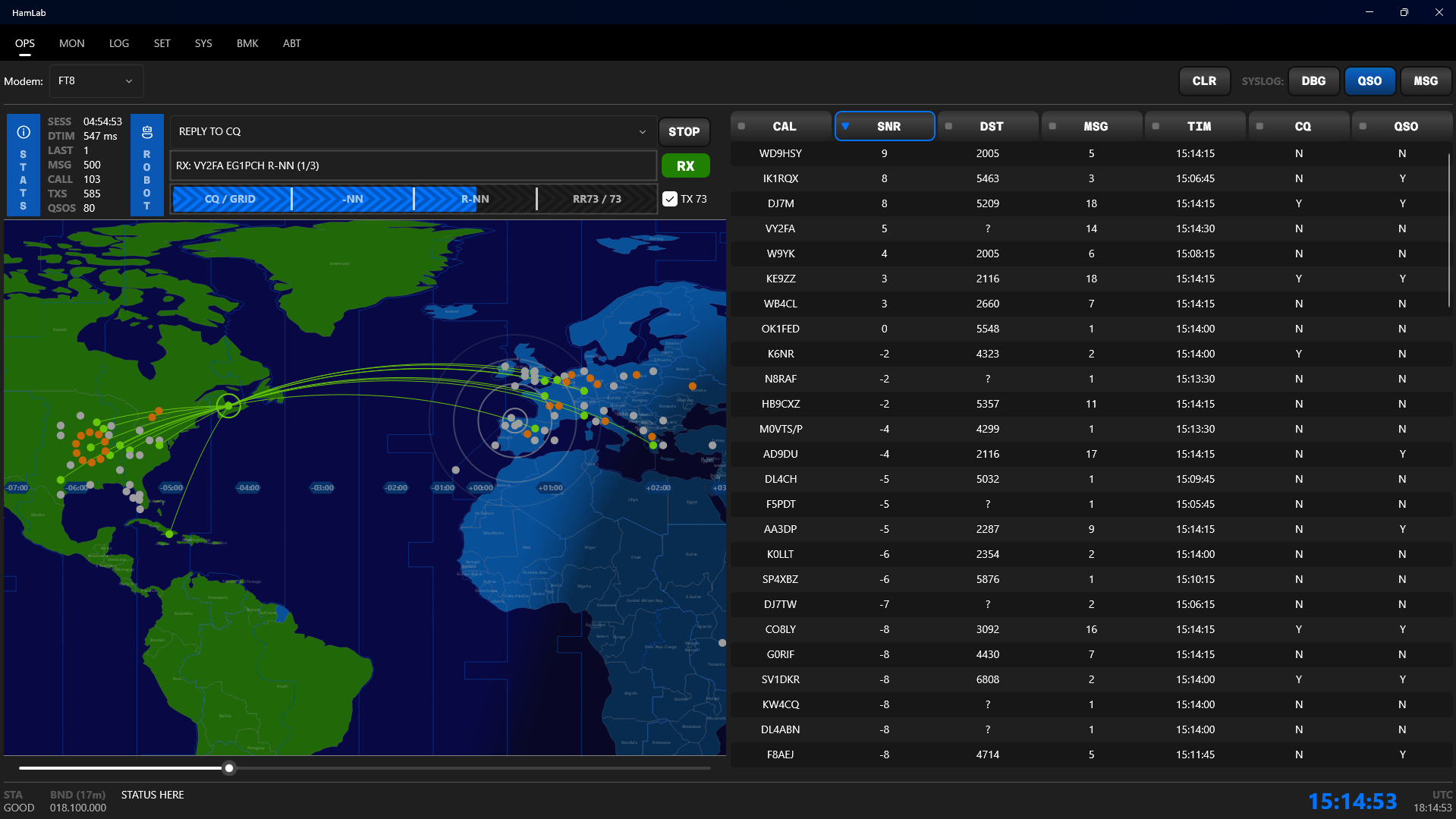
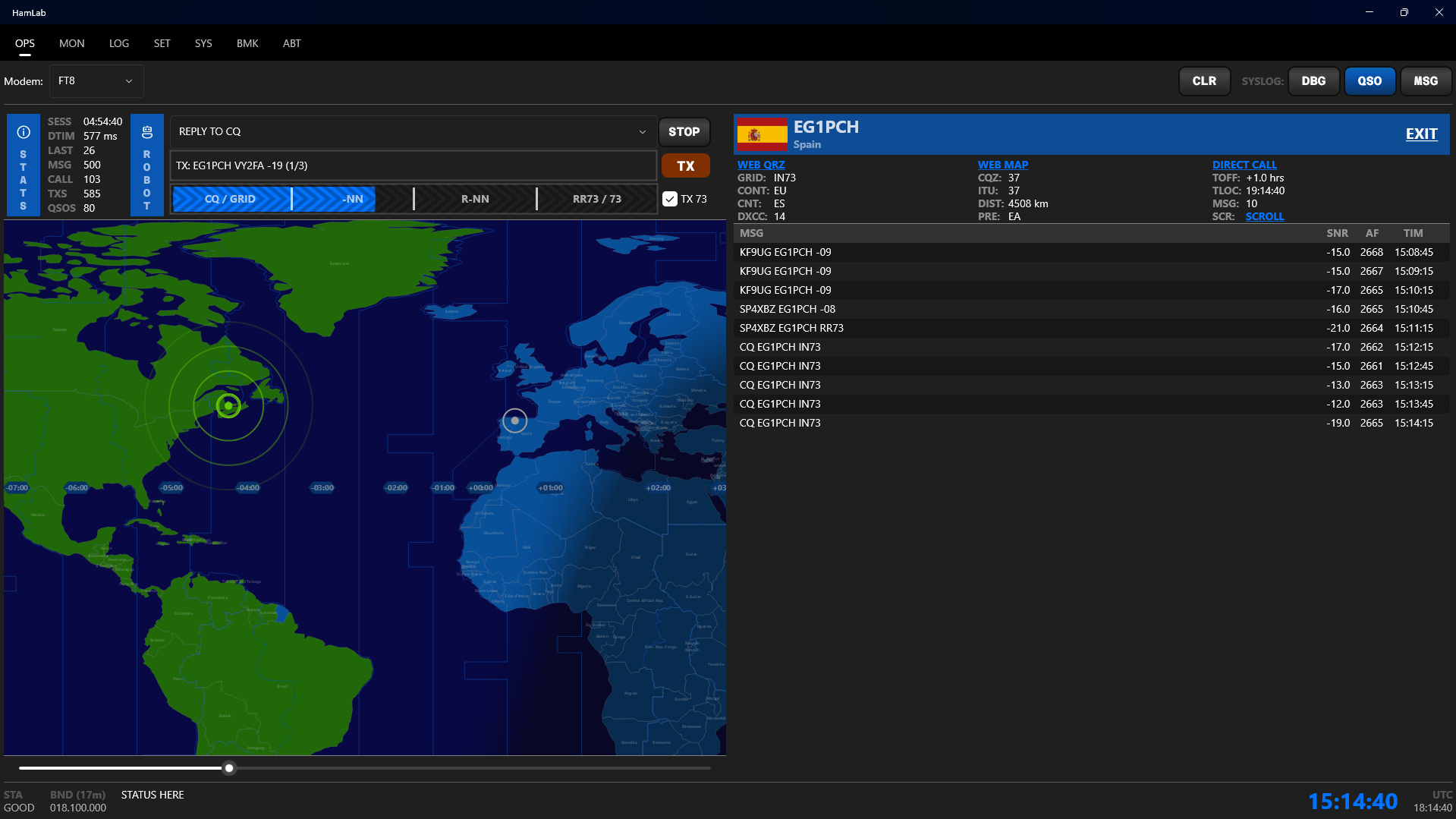
The heart of FT8LAB. The top-level table shows all callsigns received in realtime, and selecting a callsign drills into a focused message view for that station. A live world map displays heard and worked stations with animated TX and RX paths. The headline capability is the robot, with multiple working strategies that can intelligently plan and execute QSOs.

MON

RIG MONITORING PAGE

Think of it as a premium digital head unit for your rig. Realtime frequency, signal meters, panadapter, and waterfall come together in a fast visual monitor space. Accent colors can be matched to the rig aesthetic, and the interface respects dark and light operating styles.

LOG

OFFLINE-FIRST LOGBOOK

Capture QSOs locally even when you are completely off-grid, then synchronize later with QRZ.com, LOTW, eQSL, and more. FT8LAB supports both immediate sync and delayed batch upload, making it ideal for portable operations and stations with intermittent connectivity.

SET

UNIFIED SETTINGS

Configure station identity, audio inputs and outputs, serial CAT rig control, and the wider application environment from one central setup page. It is the control surface for tailoring FT8LAB to your station.

SYS

DETAILED SYSTEM LOG

A full system log is available for operators who want visibility into what the application is doing behind the scenes. Great for troubleshooting, validation, and keeping technical control of the station stack.

BMK

BENCHMARK TESTS

Run performance tests against your system hardware to measure DSP and graphics throughput. It is a practical way to understand how the machine will handle heavy realtime workloads before and during serious operating sessions.

ABT

ABOUT AND QUICK HELP

Includes application and system information plus a simple tutorial section. Useful for onboarding, quick reference, and keeping station details close at hand.

WEB

INTEGRATED BROWSER

Browse QRZ pages and other station-relevant resources directly inside FT8LAB, or choose to launch your default system browser instead. That flexibility keeps the app integrated without forcing a single workflow.

CALLSIGN CENTRIC

Callsign centric ops page

The main FT8 operating page is built around a callsign-centric table that updates in realtime as decodes come in. Click on any callsign to drill into a focused message view that shows the full history of messages received from and sent to that station. It is a powerful way to keep track of complex exchanges and stay organized during busy band conditions.

FEATURES

What makes FT8LAB feel like the future.

The value of FT8LAB is not just that it includes the right features. It is that those features are integrated into a single, cohesive, modern workstation that looks fast, feels technical, and gives digital mode operators a more capable operating space.

SMART AUTOMATION

Robot-assisted operation strategies help reduce repetitive work and bring structured automation into QSO execution.

LIVE MAP AWARENESS

See stations heard and worked on a realtime world map with animated activity that makes the band feel alive.

RIG-CENTRIC MONITORING

Frequency, meters, panadapter, and waterfall combine into a clean command display for the operating position.

OFFLINE TO ONLINE FLOW

Log now, sync later. Ideal for portable, remote, and field operations where connectivity is delayed or unreliable.

SHACK-SCALE LAYOUTS

Use one monitor or several. Pop out pages, arrange them freely, and resume exactly where you left off next session.

MODERN VISUAL IDENTITY

Custom accent colors, dark or light presentation, and sleek hover effects give the app a premium technical feel.